In my continuous process of finding a path to the Swyft-like computer to replace the computers I use now uncovered an even finer-grained way to get to something usable quicker. It's quite simple: use the tools I have to make a smaller version of the Canon Cat.
A "kitten"
The hardware spec for The Kitten is pretty simple:
* A Quality keyboard with LEAP keys
* A single-board computer (SBC)
* A display
* A battery
* A "beeper"
The software spec is even simpler:
* A Canon Cat emulator
* Just enough of an operating system to boot the emulator
In addition to emulation of The Cat, The Kitten software will be tweaked just enough to be able to exchange data via The Public Library and possibly expose some of the other interesting resources provided by the SBC.
The beauty of this approach is that I should be able to get most of the software side of it figured-out using my regular Linux laptop. To kick this off I started experimenting with an Apple //e emulator and SwyftWare because right now I'm more familiar with that then I am the Cat, and I figured general-purpose Apple //e emulation was more sorted than the single Cat emulator I found.
The emulator I decided to try is LinApple. Aside from running on Linux, it works full-screen with framebuffer video which means I should be able to run it without a "Desktop Environment", window manager, etc.
I was really excited to see the SwyftCard tutorial boot-up and go full-screen, but I was just as quickly disappointed when I tried to use it.
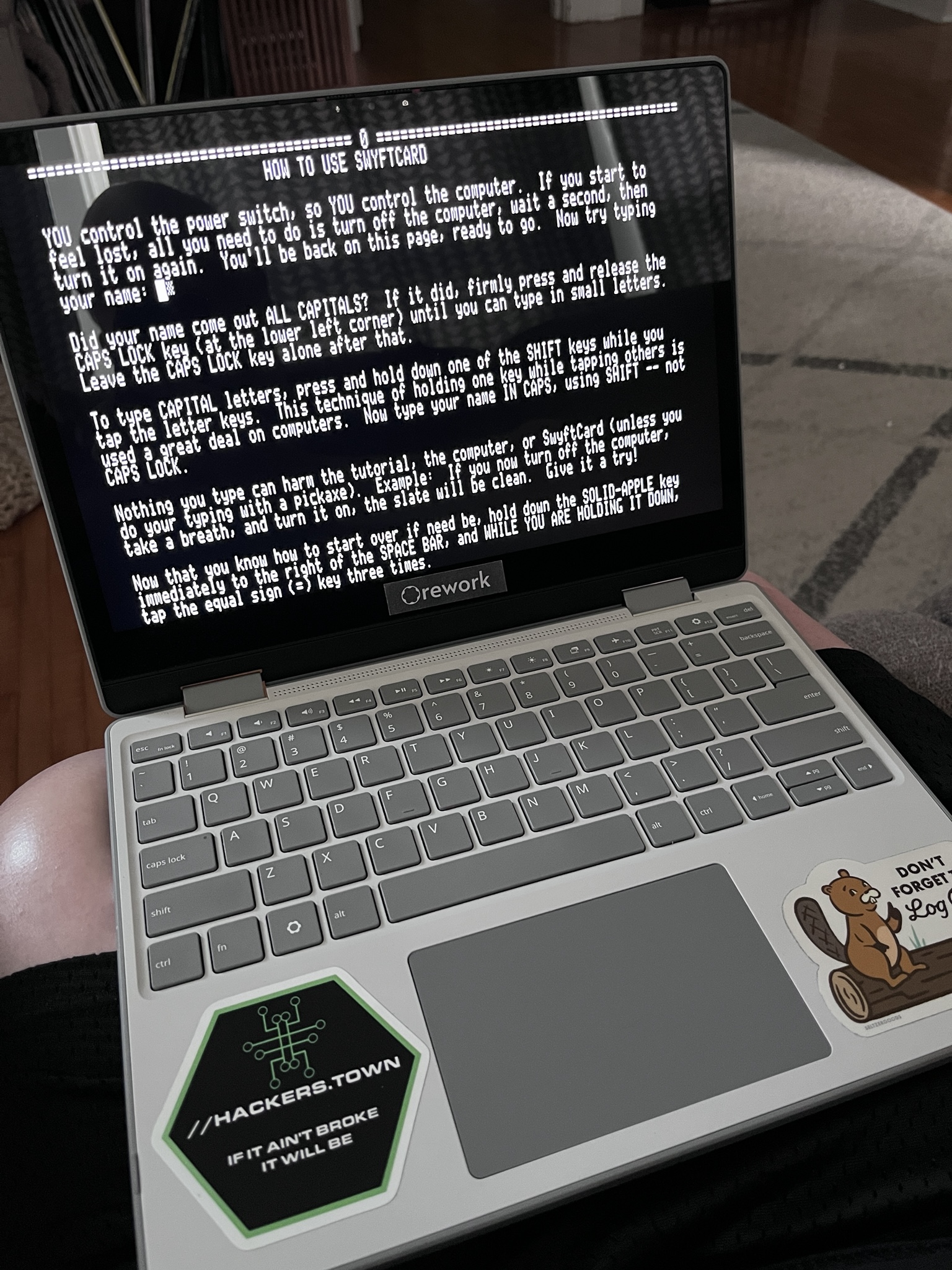
After a few keystrokes the emulator appeared to stop responding. I'm not sure if it actually froze or if it just stopped accepting input. After a few forced restarts it became clear that I wasn't able to find a few of the keys essential to using the SwyftCard (the apple keys that stand-in for LEAP, etc.) so I thought maybe the problem is just a matter of adjusting the keyboard mappings.
Other than picking the overall keyboard/language there wasn't a lot in the configuration file to address this, and as I read the code I realized that I'm not even sure what keys on my laptop I'd expect to map to the open and closed Apple keys used for LEAP. Left and right Alt seemed like the obvious choice, but it wasn't clear to me while reading the code how those could even be captured, and there were a lot of comments and even a Github issue about waiting to address issues with keyboard mapping until a much more significant change was made to the codebase, so this wasn't looking like a simple fix anymore.
I tried experimenting with the emulator a bit more to see if I could work-around this, but it became clear that there might be larger problems as well. I can't say for sure, but it seems like maybe it does lock-up when the "beep" in SwyftWare is triggered, and I'd read somewhere that another emulator struggles when this occurs (it may have been a Cat emulator, but something in the ballpark).
All of this is complicated by the fact that I'm not using an actual SwyftCard emulation but a special disk image that was made to allow Apple //e's with no SwyftCard to run the Swyft environment. Maybe the way this works contributes to the struggles of the emulator? I don't know.
I considered trying other emulators but since this was intended to be the simplest first step and it turned out not to be, maybe it makes more sense just to move-on to emulating the Cat instead?
The only source of Cat emulation I was able to find is via MAME. It has noted limitations with the serial port which is something I'm going to need, but after reading-through the MAME driver code for that Cat it looks like something that might not be impossible for me to help get sorted. I don't know a lot about MAME, but it's a mature emulator that seems capable of emulating just about anything somehow so I feel more confident that problems like keyboard mapping have solutions and if I need some help with it there's probably a vibrant community to tap-into.
Plus I could use an excuse to spend some time and get familiar with The Cat.
Hopefully I'll get some time later today to experiment with this and see if I can make some progress on the softer side of The Kitten.
Jason J. Gullickson, 2026